


SMIRT ProcessPlanner

Create a detailed manufacturing plan that is best in practice for your shop.
Using SMIRT, all shop floor users can see the manufacturing plan, add notes if there is a variance and checkoff the operation tasks as they are completed.
Who ever is working on the next operation will see the notes created in the previous operation.

SMIRT ProcessPlanner
Some Key Features
Manufacturing Flow-Chart
(Organized sequence of operations)
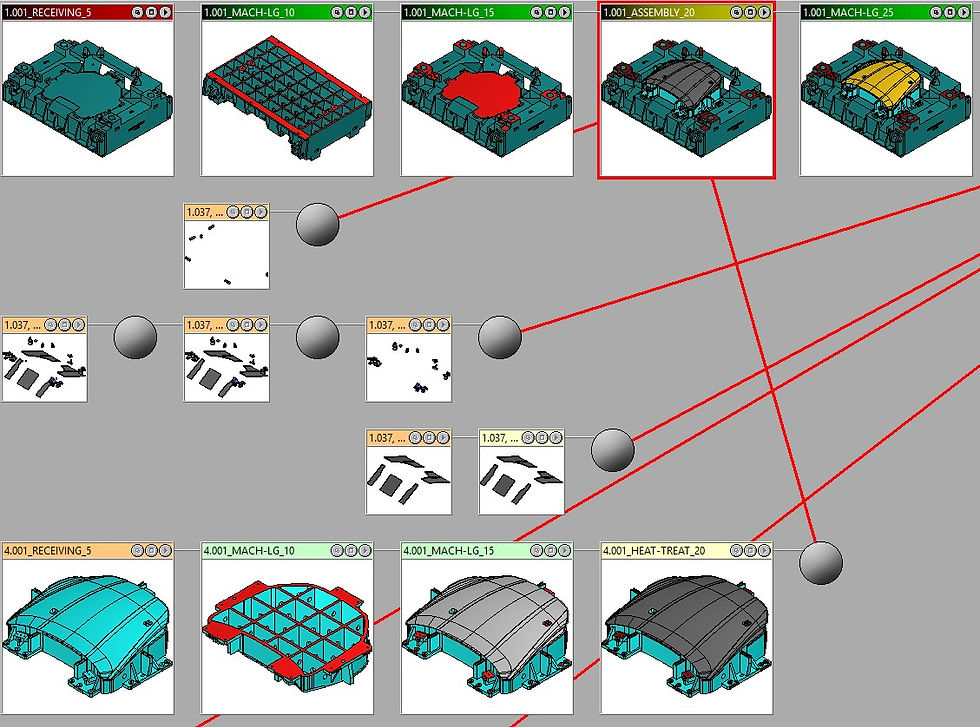
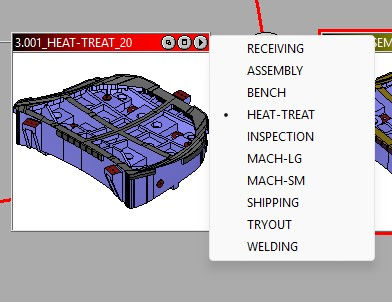
Each operation assigned to a department
(The department list is fully customizable)
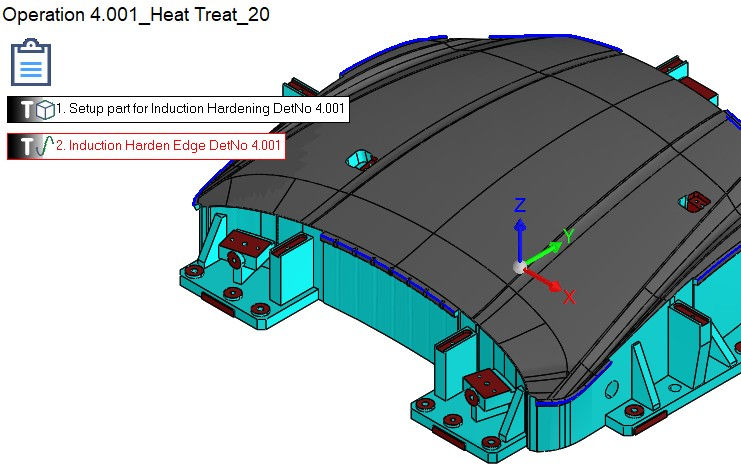
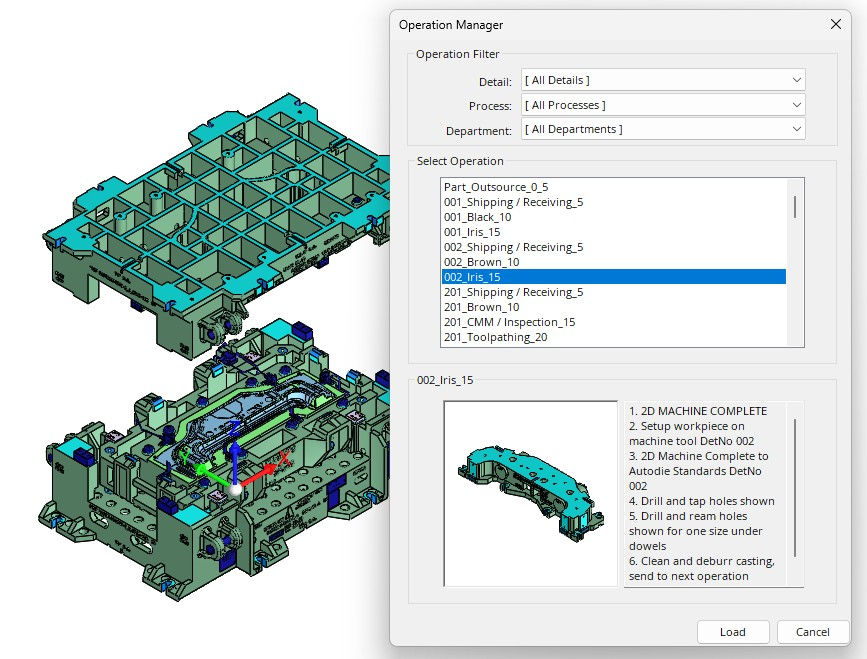
Operations include detailed instructions / list of tasks required

Tasks are linked to the proper geometry

Direct access from the operation view to NC programming

Not only machining. Assembly operations...

... Heat Treatment, CMM Inspection, Try-Out and more
All the process information in one design file: NO need for additional documentation
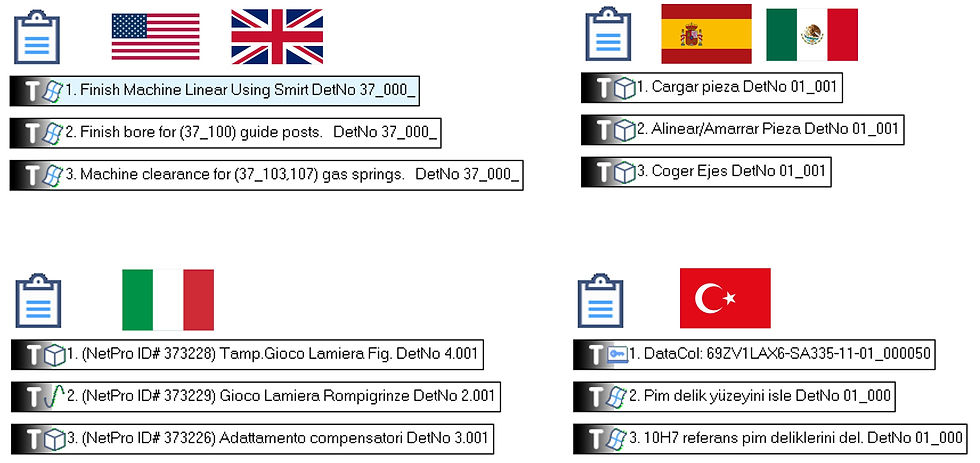
Create your custom environment in your own language
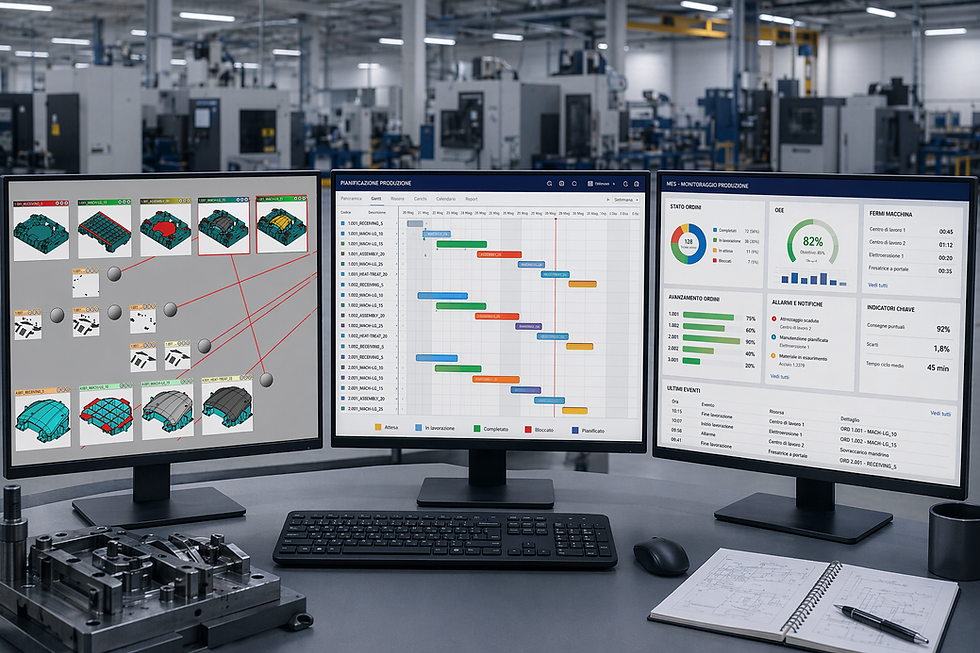
Connect to Scheduling and MES software: SMIRT provides an easy and efficient graphic front-end
An example of a manufacturing plan created with SMIRT DieBuild
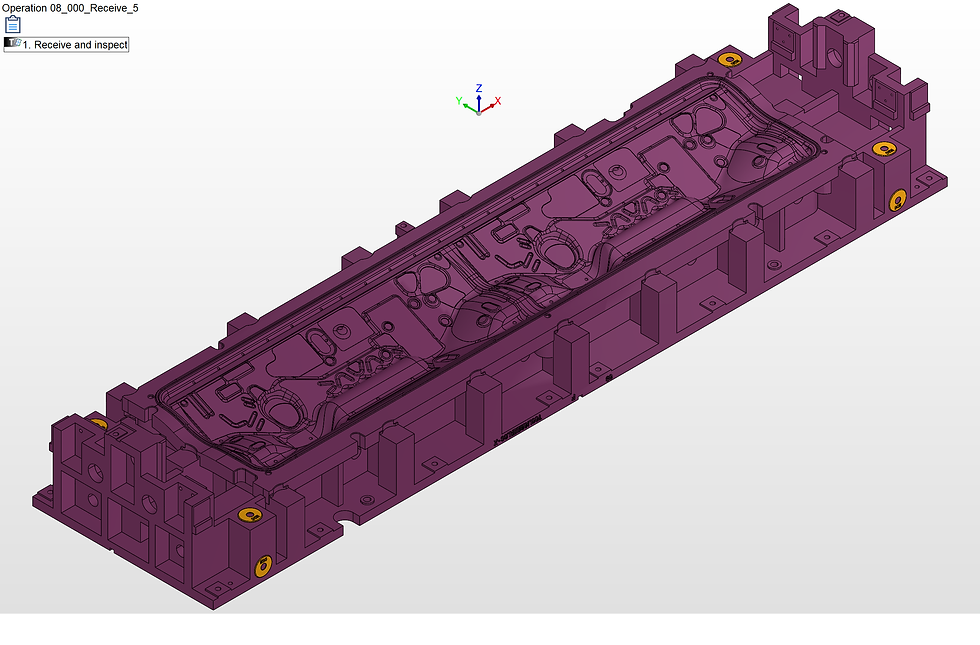


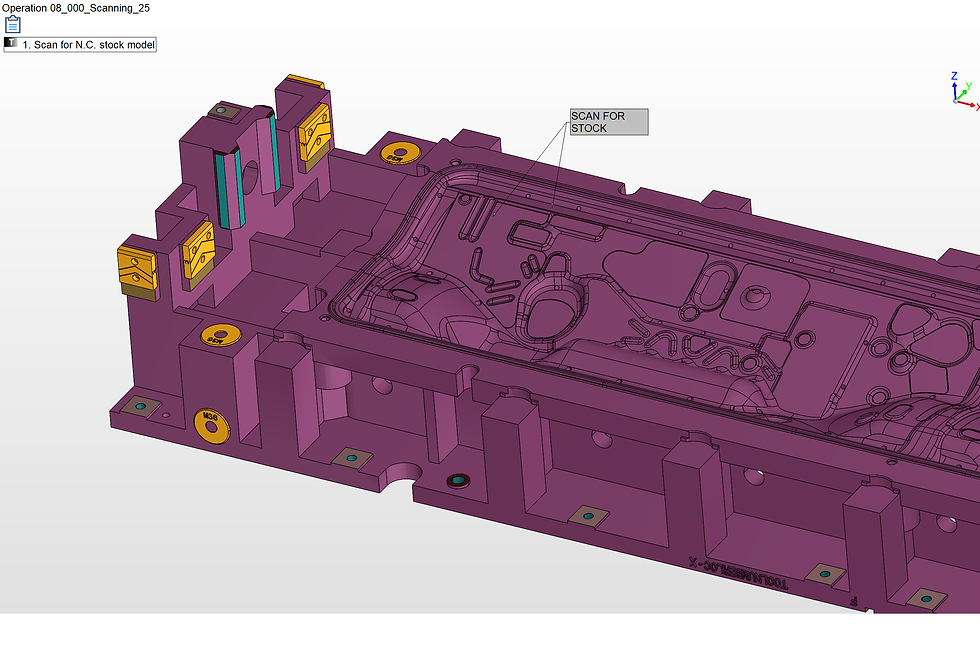


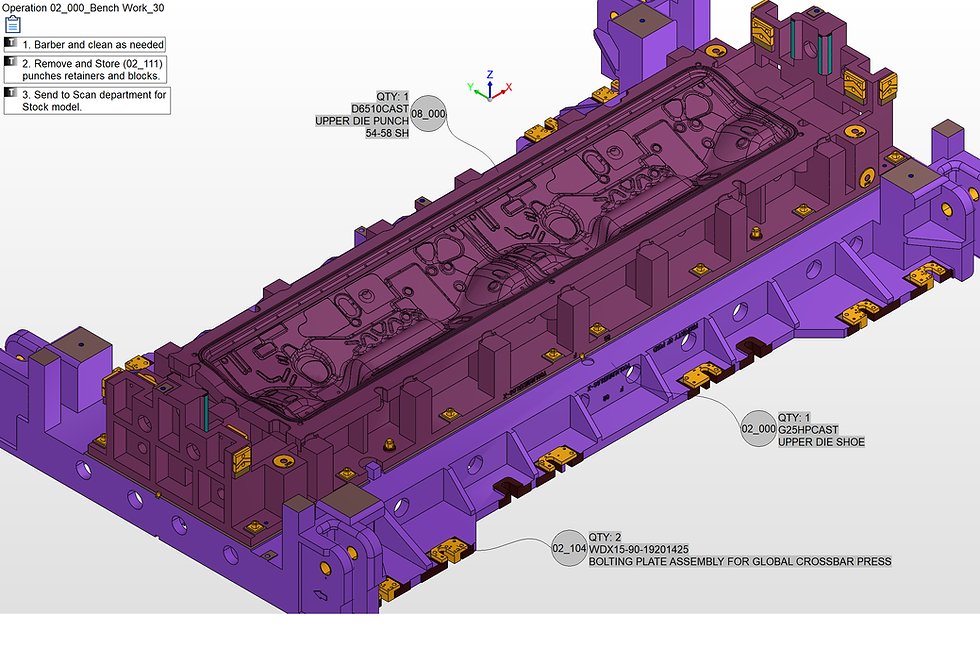

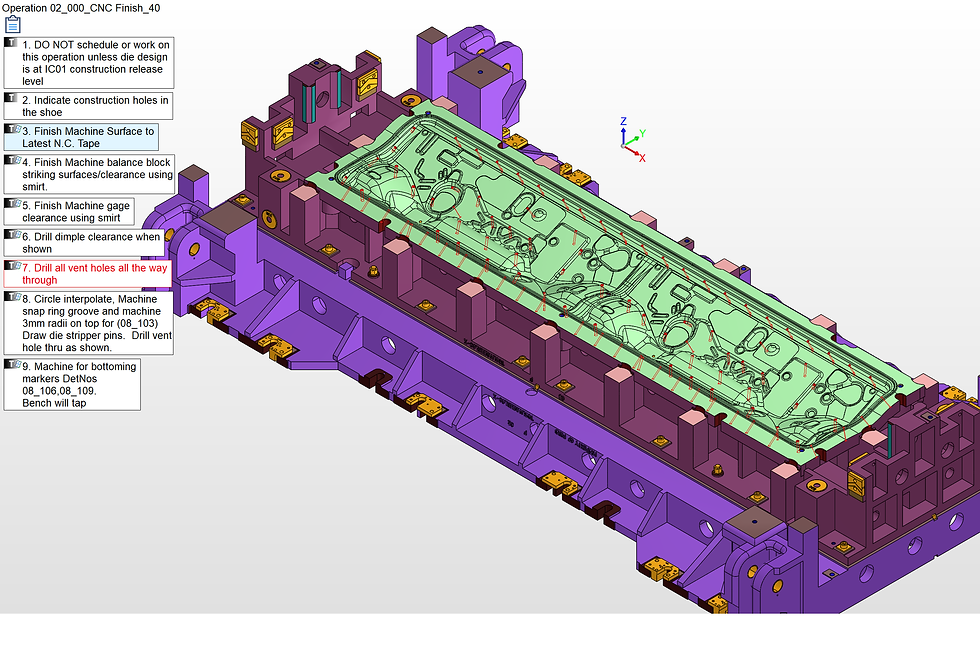
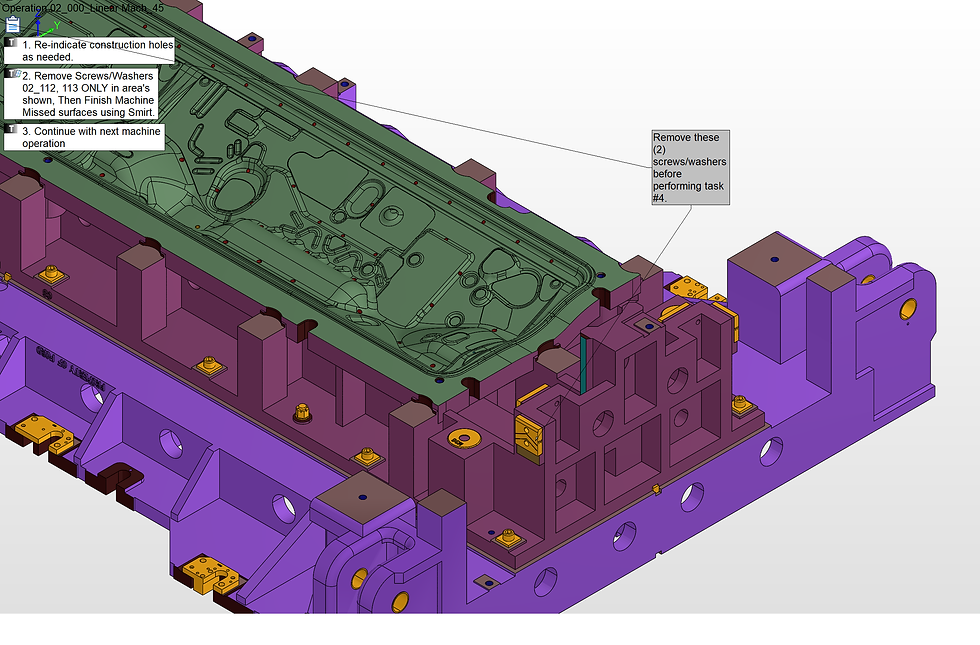
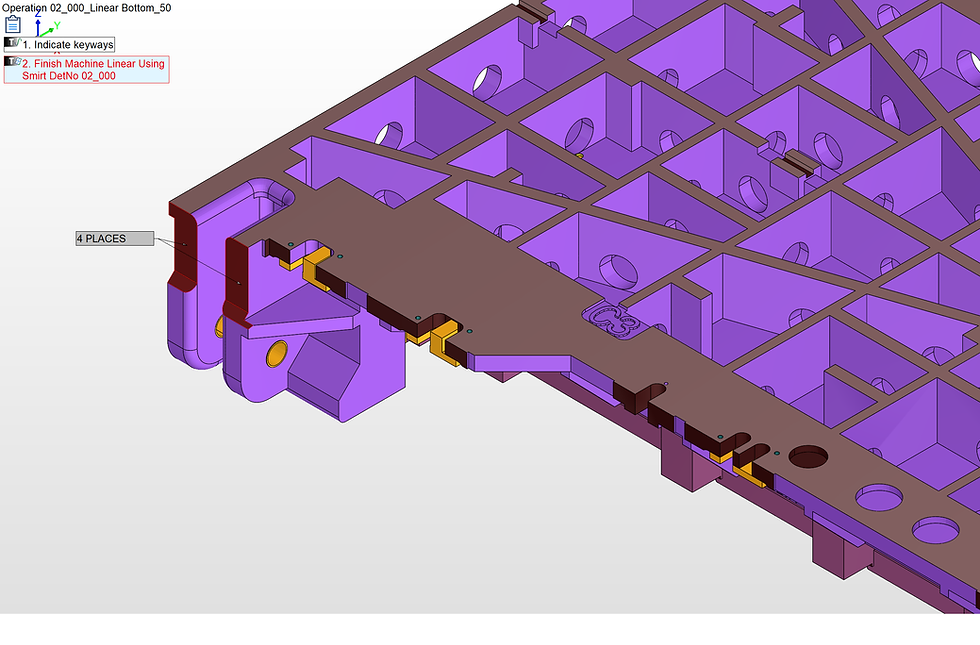
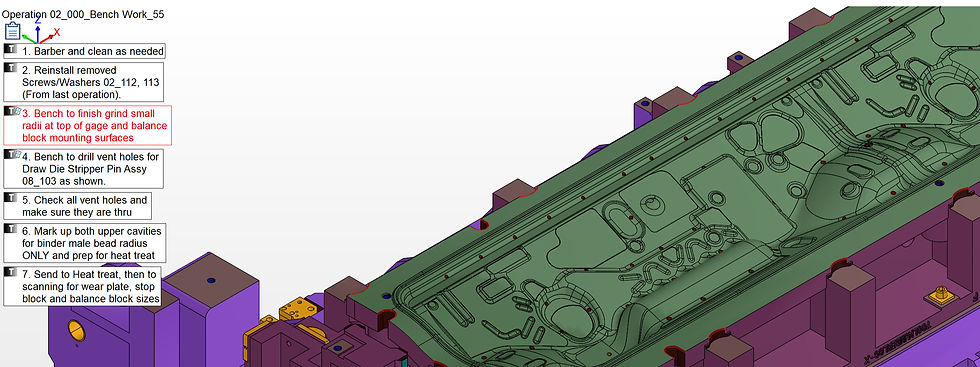


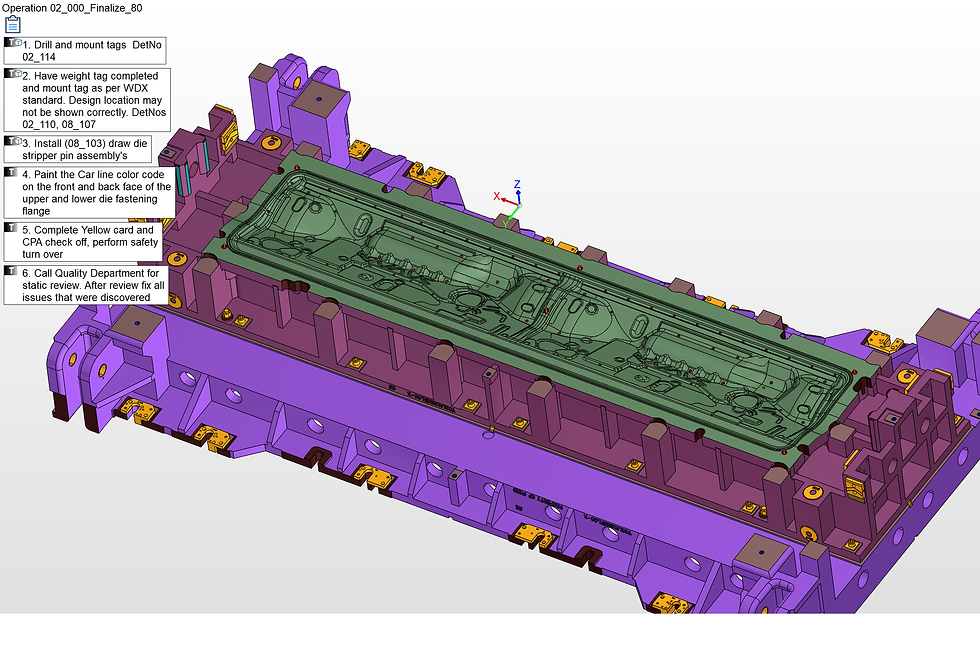
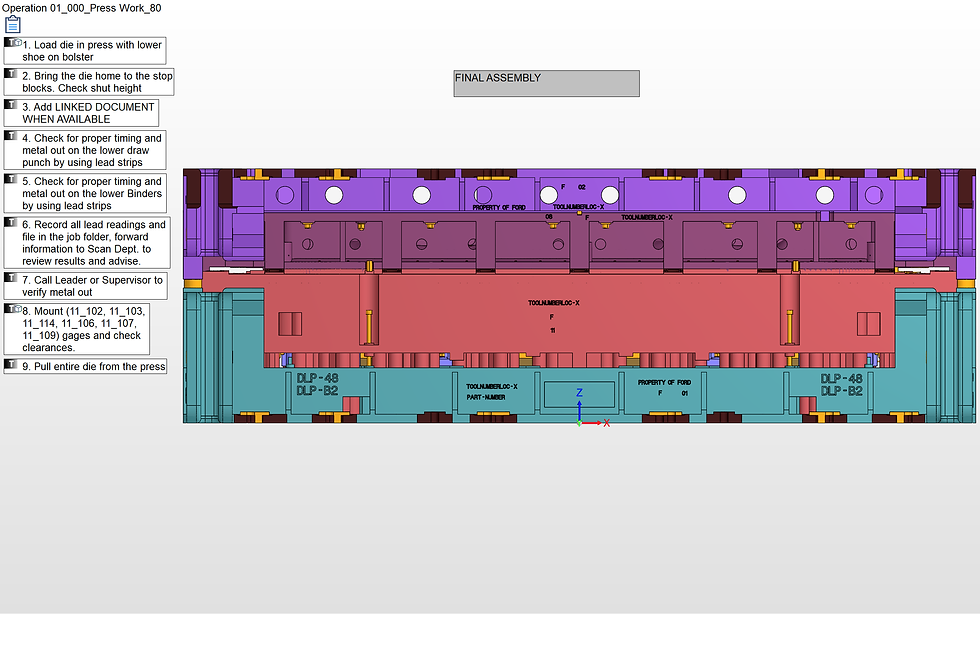
This is an example of a process plan for a large stamping die. Starting with one detail and follow it as it gets assembled with all the process that need to be done till final assembly.
Process plans are flexible and can be as detailed or more general as you prefer.
Once released to the shop floor, the worker can navigate to the Operation that has been assigned to him/his workcell. As they complete the tasks from the task list on the left, they can check off the tasks which can then alert their manager of the progress.
The images that the worker sees are not static. Once in the operation form SMIRT, they can interact with the solid data as much as needed.